







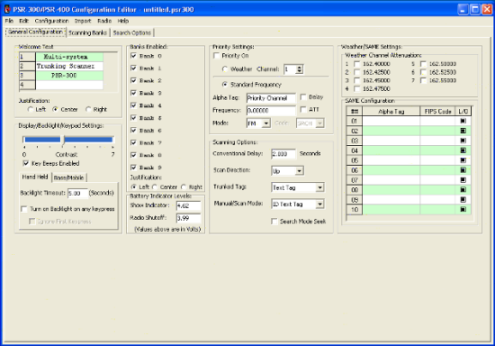
- GRE PSR-300
- GRE PSR-400
- GRE PSR-300c
- GRE PSR-400c
- Radio Shack Pro-163
- Radio Shack Pro-164
- Radio Shack Pro-97
- Radio Shack Pro-2055
- MFJ-8322
PSREdit300 Version 1.34 Release 6 (December 22, 2017)
- Corrected an issue where the Lockout and Attenuate flags were not being
maintained while copying and pasting channel data from one bank to another
or pasting from a tab delimited file.
- Fixed a display issue on the channel edit screen where the bank number and
bank name display fields were not being populated.
PSREdit300 Version 1.34 Release 5 (April 28, 2017)
- Corrected an issue where not all conventional channels were being
displayed on the RadioReference.com conventional import screen.
PSREdit300 Version 1.34 Release 4 (February 14, 2017)
- Added missing tab stop on the bank number field.
- Updated copyright dates.
PSREdit300 Version 1.34 Release 3 (May 11, 2013)
- Corrected an issue with the sort bank by frequency process.
- Updated copyright dates.
PSREdit300 Version 1.34 Release 2 (June 12, 2012)
- Corrected an issue where the RadioReference.com import would
not allow import of frequencies marked as FM Narrow in the database.
PSREdit300 Version 1.34 Release 1 (September 22, 2011)
- Added support for the RadioReference.com Nationwide conventional
frequency listings in the import screen. When selecting a
state/province within a country, look for the "Nationwide"
option to access these agencies.
PSREdit300 Version 1.33 Release 4 (September 16, 2011)
- Updated the RadioReference.com web service to the current version.
PSREdit300 Version 1.33 Release 3 (June 16, 2011)
- Fixed some issues with resizing and positioning
PSREdit300 Version 1.33 Release 2 (Not Publicly released)
PSREdit300 Version 1.33 Release 1 (Released May 14, 2011)
- Removed support for the RadioReference.com CD-ROM from this version
of PSREdit300. The RadioReference.com CD-ROM has been discontinued and
has not been published in nearly 2 years.
- Updated the RadioReference.com SOAP interface code to the latest version
(Made possible by removing the support for the CD-ROM as it allows the
removal of a lot of custom code needed to support all versions of the CD-ROM.)
- Fixed an issue where unused channels were not getting the correct
"Bank x Chan yy" alpha tags when uploaded to the scanner.
- Fixed issue where the attenuation settings for the weather channels were
not being properly loaded or saved to the scanner configuration.
- Fixed copy and cut issue where the buffer was not being properly cleared.
PSREdit300 Version 1.32 Release 1 (Released February 25, 2011)
- This version of PSREdit300 will move a copy of the current PSREdit300.ini
file to the Application Data folder and will then use that file from this
point forward. This is done to handle issues with Windows Vista and Windows 7
with User Access Controls (UAC) turned on.
- PSREdit300 will now check screen sizes and shrink to fit within the available
screen size if it is smaller than the default size of the program. Scroll bars
will appear when this occurs.
PSREdit300 Version 1.31 Release 11 (Released April 12, 2010)
- Fixed issue storing the base frequency for trunking tables in the cache
with the RadioReference.com trunked system import. It is suggested
that you remove the folders for these systems before your next import.
PSREdit300 Version 1.31 Release 10 (Released April 5, 2010)
- Fixed issue when reading back the offset value from the cached data
when importing a Motorola or P25 system using the RadioReference.com
trunked import.
PSREdit300 Version 1.31 Release 9 (Released March 30, 2010)
- Added ability to associate .psr300 files with PSREdit300 and have
them open when clicked on directly.
PSREdit300 Version 1.31 Release 8 (Released January 25, 2010)
- Updated the copyright date on the about screen to include 2010.
- Reduced the compression on the EXE file to allow for faster load
times.
PSREdit300 Version 1.31 Release 7 (Released October 5,2009)
- Fixed an issue with the use of weather frequencies as priority
channels. The Priority area if the General Settings tab has been
redesigned to set this option correctly.
PSREdit300 Version 1.31 Release 6 (Released September 15,2009)
- Added support for the system ID located in the zone field on the
Radio Reference web service. These will appear on Motorola Omnilink
systems.
PSREdit300 Version 1.31 Release 5 (Released August 30,2009)
- Updated RadioReference.com SOAP interface to version 5.
PSREdit300 Version 1.31 Release 4 (Released July 25,2009)
- Fixed issue where an agency with both State and County entries in the
RR Database would not be properly selected. If an agency exists at
the state level and the county level, the county level will have the
text "(County)" appended to it to differentiate.
- PSREdit300 will no longer show frequencies of a type that the scanner
cannot decode while in the Conventional Import from the RadioReference
web service.
PSREdit300 Version 1.31 Release 3 (Released June 24,2009)
- Fixed a rounding error when checking and correcting frequencies in the
108MHz to 137MHz aircraft band.
PSREdit300 Version 1.31 Release 2 (Released June 16,2009)
- Added support for the Canadian version of the PSR-300C and PSR-400C.
- Fixed an issue with the conventional import from the
RadioReference.com web service where the import button would be
disabled when the import would fill the bank (0 slots available).
- Added band plan checking for the canadian versions of the PSR-300 and
PSR-400
PSREdit300 Version 1.31 Release 1 (Released May 27,2009)
- Fixed an issue where PSREdit300 would warn about invalid LCN records
when importing Motorola systems from the RadioReference.com web
service. Motorola systems do not require the frequencies to be
placed in specific LCN order, so this warning message is not
necessary.
- When using the RadioReference.com CD-ROM for import, PSREdit300 will
now attempt to access the April 2009 version first. If that fails,
PSREdit300 will attempt to access the October 2008 version of the
CD-ROM for backward compatibility.
- Removed the WSDL paths for the RadioReference.com web service and
CD-ROM from the configuration screens. These are now hard coded into
the program as changing them will almost certainly break the import
process.
- Added new tab to the program configuration screen. The File Options
tab contains some of the options that were previously on the Program
Options tab (Load last file, Default File Path), and the new autosave
feature (see below).
- Added an auto save feature to the program. When enabled, PSREdit300
will automatically save your current working configuration at the
interval you specify. If the current configuration has not yet been
saved, it will be written to the file AutoSave.PSR300.
Auto saves will not occur when in the program configuration screen, Uploading a configuration to the scanner, or downloading from the scanner.
- Fixed the selection of the talkgroup in slot 29 of the current
sub-bank when using the right click menu to select that talkgroup.
- Fixed an issue with uploading to Pro-97/Pro-2055 when the direct
cable access feature was turned on.
PSREdit300 Version 1.30 Release 2 (Released May 9,2009)
- Fixed a RadioReference.com issue with database entries for LTR and
EDACS systems that have frequencies tagged with invalid LCN postions.
PSREdit300 will move these frequencies to valid LCN slots, however
these positions may not be correct for the system being monitored.
PSREdit300 Version 1.30 Release 1 (Released April 20,2009)
- PSREdit300 now supports direct access to the USB cable. On the first
run of this version, PSREdit300 will attempt to detect to see if the
drivers are loaded for the USB cable, and enable this option if they
are detected. This option does away with the need to know what
Comport the cable has been assigned to, and should reduce the
difficulty connecting to the scanner for new users.
If multiple cables are found to be connected to the computer, you will be prompted to select the cable to be used for the requested data transfer.
You may turn this option off in the Serial port configuration screen if you are using a serial cable with a Pro-97 or Pro-2055, or if you prefer to use the ComPort method.
- Disabled the Print option under the File menu since that feature has
not been implemented to date.
- Added support for the April 2009 version of the RadioReference.com
CD-ROM while maintaining backward compatibility with the October 2008
edition.
PSREdit300 Version 1.29 Release 3 (Released April 4,2009)
- Made some modifications to the download processing to adjust the
timeout used when determining the end of the incoming data.
- Added support for the new soap2 RadioReference.com web service
interface. PSREdit300 will automatically update the web service URL
to the new interface address.
- Also added support for the Version 2 of the data format that was
released April 3. This version of the web service includes support
for the administrative zones on multi-site Omnilink TRSs.
Note: This update will force cached system data to be reloaded from the web service.
PSREdit300 Version 1.29 Release 2 (Released March 22,2009)
- The Country, State, and County pull down lists now allow you to press
the first letter of the desired selection to get close to that item
without closing the listing.
PSREdit300 Version 1.29 Release 1 (Released March 20,2009)
- Added trunked system cache option to the RadioReference.com web
service. When enabled, PSREdit300 will store information about the
trunked systems you access to your system. Each time you access these
trunked systems, PSREdit300 will check the last updated timestamp
against the locally stored data.
If the timestamp is newer than the locally stored data, PSREdit300 will download the new information from the web service and replace the local data.
If the timestamp is the same or older than the stored data for the trunked system, PSREdit300 will load that data from the hard drive instead of downloading it from the web service. The benefit of this is when using the CD-ROM in combination with a premium subscription to the RadioReference.com web service, you will still get the current cached data even when using the CD-ROM.
TO enable this option, go the configuration menu, and then the RadioReference.com Web Service tab. Check the box near the bottom of the screen. You may also set a cache folder to allow sharing the cached data with PSREdit500.
Please note that if you change this path once the cache option has been turned on, you will need to manually move the cached data to the new location. There is no provision in the software to move this data for you.
PSREdit300 Version 1.28 Release 3 (Released March 6,2009)
- Conventional frequencies on the RadioReference.com web service
conventional import are now sorted in the "Sort Order" specified by
the returned data from the site. In most cases the frequencies should
be listed in the same order they are on the RadioReference.com web
site.
PSREdit300 Version 1.28 Release 2 (Released March 4,2009)
- Fixed an issue where frequencies being entered were being stored
incorrectly. The frequencies would display correctly on the screen,
but the undelying data was off slightly. This may be the issue with
the Pro-97/2055 that has been reported.
- Added an option to correct all frequencies to fit within the correct
step sizes. This option is located under the Edit menu with the name
of "Fix Frequency Steps". I suggest that everyone use this option
on your file at least once to correct the issue above.
- Adjusted the step size for the PSR-300/400 and Pro-163/164 between
470MHz and 512MHz from 12.5Khz to 6.25KHz per the CPU Firmware 1.6
update.
- Fixed a display issue with the last updated dates on the conventional
import from RadioReference. Previously this field was blank when there
should have been a date in there.
- Fixed an issue where a frequency of 0 being entered into the program
would display an out of range warning message on the frequency entry
screen.
PSREdit300 Version 1.28 Release 1 (Released March 2,2009)
- Removed all code related to the old licensing/Protection system. The
new system handles all of this for me in a much more efficient manor.
- Added frequency range and step size checking. By default, range and
step checking is turned on, using the ranges available in the PSR-300,
PSR-400, Pro-163, and Pro-164. This option and the scanner model may
be selected on the Program Options tab of the configuration editor
screen.
- Added a frequency rounding option that will adjust an entered
frequency to the nearest valid step position. This option is turned
on by default. This option may be selected on the Program Options
tab of the configuration editor screen.
PSREdit300 Version 1.27 Release 3 (Released February 13,2009)
- Fixed a crash bug when importing trunked radio systems where a site
contains more than 50 frequencies. While this number exceeds the
number of frequencies sites may have on any of the reports I've ever
seen (Motorola 3600 limit is 28, P25 is 30), there are systems in the
RadioReference.com database that exceed this number of frequencies on
a site.
- Fixed references to the RadioReference.com CD-ROM when errors occur
while importing from the RadioReference.com web service.
PSREdit300 Version 1.27 Release 2 (Released February 7,2009)
- Fixed a crash bug when importing conventional frequencies from the
RadioReference.com web service when there were more than 100
frequencies in a sub-category.
PSREdit300 Version 1.27 Release 1 (Released February 2,2009)
- Added support for the forthcoming firmware update to support rebanding
in the PSR-300,PSR-400, Pro-163, and Pro-164.
To use this option, switch to a bank with a rebanded Motorola system in it, then change the 800 MHz system type from "Standard" to "Multi-Table". This will enable the Edit Tables button, which will allow you to edit the custom tables. The Standard 800MHz table, and the Rebanded Table may be set quickly using the buttons at the bottom of the screen.
Note: If your radio does not have the CPU firmware that supports the rebanding tables, you should avoid setting this option to Multi-Table until you have been able to upgrade to a CPU firmware version that supports rebanding. My testing shows that it works as it should even with this set, but you may experience problems.
- With the firmware update, the memory image recieved from the scanner
when performing a download from the scanner function is larger than
with CPU Firmware 1.4. When downloading your configuration from a
radio with CPU firmware 1.4 or prior, the progress indicator on
PSREdit300 will stop at 98%, pause for about 2 seconds, and then
disappear. This is the normal operation with older CPU firmware
since PSREdit300 must wait to see if the additional information
will be sent by the scanner.
- Removed the 16 character limit on the Alpha Tag Editor on the
frequency Add/Edit screen. This field will now allow you to enter
longer alpha tags, however only the first 16 characters will be used
when the save button is pressed.
- Fixed a bug in the limit search where when frequencies were changed,
the last tuned frequency was not checked to be withing the limits
entered. This would cause the limits to not be properly set in the
scanner.
- Fixed a bug with entering Type I talkgroup IDs when editing or adding
talkgroups on Motorola Type I or Type IIi systems.
- Fixed an issue where the apply button would not be enabled when
selecting the delete option in the Bank Editor.
- Fixed an import issue with the way the PSR-300 stores talkgroup IDs
on Motorola Type I or Type IIi systems.
- Fixed incorrect text on the registration/trial screen where it
referenced PSREdit100.
- Fixed a crash issue when a system is marked as a Motorola Type I system
in the RadioReference.com database, but doesn't have an associated
fleetmap. (Example: Philadelphia School District System, located at
http://www.radioreference.com/apps/db/?sid=2367)
Note: When importing systems with this issue, the talkgroups will not import properly!
- Fixed an issue when copying or cutting information in the frequency
listing window where the 99th channel would not be copied to the
clipboard when selected.
- Fixed an issue when using the Cut function in the Frequency listing
and then answering No to the move all channels up query. In this case
the 99th channel would be cleared, even if not selected, and the
selected channels would not be cleared.
- Fixed an issue when pasting information into either the frequency list
or the talkgroup list where not all lines were properly decoded and
entered into the data.
PSREdit300 Version 1.26 Release 4 (Released January 15,2009)
- Fixed a possible scanner lock-up problem when all channels are locked
out on the Marine, CB, or FRS searches, and the Search On checkbox
was checked.
- Updated the copyright date to include the year 2009.
PSREdit300 Version 1.26 Release 3 (Released January 2,2009)
- Fixed a bug where screen sizes would not be saved properly when using
the exit option from the File Menu.
- Fixed a bug where the Alpha Tag for the limit search would be
truncated to just the first letter.
PSREdit300 Version 1.26 Release 2 (Released November 22, 2008)
- Changed the available COM ports in the serial configuration screen
from 24 to 64. This update allows you to use ports up to COM64.
PSREdit300 Version 1.26 Release 1 (Released November 19, 2008)
- Added option to save screen position and size and restore those
settings on the next startup of the program.
- Fixed a default screen size issue where the window was much taller
than it needed to be.
- Fixed some big bugs in the RadioReference.com web service import when
importing Motorola Type II systems. These issues ranged from
talkgroup numbers not appearing in the import options screen, to
alpha tags importing with a single character.
PSREdit300 Version 1.25 Release 7 (Released November 13, 2008)
- Fixed a sorting issue with the Country, State, and County lists on
both of the RadioReference.com import screens.
- Fixed an issue with independent cities not being properly detected
and shown properly.
PSREdit300 Version 1.25 Release 6 (Released November 12, 2008)
- Fixed issue with the copy and cut command on both the frequency and
talkgroup ID lists. The data was not being properly placed on the
clipboard, which prevented the paste option from working correctly.
PSREdit300 Version 1.25 Release 5 Changes and additions (Released November 8, 2008)
- Resized the Radio Reference import screens to fit into a 800x600
screen resolution. I also reduced the size of the main screen
slightly, but it will still not fit on a screen with a resolution
setting below 1024x768. Making the the main program fit into a
screen resolution of 800x600 would require a redesign of almost every
screen tab.
- Fixed an problem with Motorola Splinter systems where the splinter
flag was not being set correctly on upload to the scanner.
PSREdit300 Version 1.25 Release 4 Changes and additions (Released October 30, 2008)
- PSREdit300 Version 1.25 Release 2, and Version 1.25 Release 3 were beta versions
and never released publicly.
- Fixed a bug in the RadioReference conventional import that would in
certain circumstances cause state and federal agencies to not load
properly. This prevented the import of data from these agencies.
- More fixes to the encoding of data for the Pro-97/Pro-2055. Previous
versions were setting the ZeroMatic control settings to the incorrect
values.
- Made a change to the encoding and decoding of the enabled bank flags
that may resolve scanning issues on the Pro-97/Pro-2055.
PSREdit300 Version 1.25 Release 1 Changes and additions (Released October 6, 2008)
- Changed the version numbering system starting with this release. This
system will allow for relatively minor updates to be made without the
minor version needing to be incremented. This version may be read as
Version 1.25, Release 1.
- Added configuration screen for the RadioReference.com Web Service
which allows the user to set the receive timeout value. The default
settings should work well, but if you start to see timeouts,
adjusting this value should resolve it.
- Enabled support for the RadioReference.com database CD-ROM. The
CD-ROM option must be enabled in the RadioReference.com web service
tab in the configuration editor before the option will appear in the
import screens.
Note: On very large systems, the retrieval of site and talkgroup data may take a long time depending on the speed of your computer. The systems that commonly exhibit this issue are the statewide systems that the radio is capable of monitoring.
PSREdit300 Version 1.24 Changes and additions (Released September 19, 2008)
- Found an issue with the RadioReference web service that was slowing
down the process of requesting the information. There should be a
noticeable difference in this version in some areas, however some of
the delay is the server processing the request, which I have no
control over.
PSREdit300 Version 1.23 Changes and additions (Released September 18, 2008)
- Fixed a talkgroup list display bug that would not show the correct
talkgroups for a bank. (They were stored correctly, and changing the
sub-bank selector up and down would work around this bug).
- The Bank and Sub-bank number fields are no longer editable. Keeping
these editable was creating issues with the code not storing bank
information correctly.
PSREdit300 Version 1.22 Changes and additions (Released September 17, 2008)
- Upgraded yet again to a new version of the C++ compiler used to create
this software.
- Fixed an obscure issue where under certain cases, the agency list on
the RadioReference.com trunked data import would not be populated when
switching from one system to another and back again.
- Fixed a development issue with the RadioReference.com trunked import
option that was making it very difficult to work with that area of the
program. This change also seems to have corrected an issue with that
section where clicking on the screen while waiting for a response from
the RR Web Service would make the screen go blank, or disappear from
the screen.
- Added a status line on the RadioReference.com trunked web import screen
to give information about what the program is doing while retrieving
data from the RadioReference.com web service. This status line is
located just above the account expiration information line in the
lower right corner of the import screen.
- Talkgroups are now sorted in the RadioReference trunked web import
screen. Previously they were shown in the order they were received
from the RadioReference.com web service.
- Added a status line to the RadioReference.com conventional import
screen similar to the one added in the trunked import screen.
- When selecting a category on the RadioReference conventional import
screen, and there is only one sub-category available for the selected
category, that sub-category will now be automatically selected and
the frequencies retrieved.
PSREdit300 Version 1.21 Changes and additions (Released September 14, 2008)
- Fixed a bug on the RadioReference.com download of conventional data
where the "Category" pull down would not be enabled under certain
conditions.
PSREdit300 Version 1.20 Changes and additions (Released September 8, 2008)
- Fixed display bug in the frequency lock-out lists on the various
search screens. The background color was all grey, and are now the
greenbar style as they were at one point in the past.
PSREdit300 Version 1.19 Changes and additions (Released September 6, 2008)
- Fixed a bug that did not properly reload the splinter setting on
Motorola systems that use this setting.
- Fixed a bug on the RadioReference.com web service when importing
splinter Motorola systems. The splinter setting was not being stored
to the bank configuration during the import.
- The RadioReference.com web service import will now attempt to detect
splinter type systems. This process looks at all of the frequencies
in the system for tell-tale signs of a splinter system.
PSREdit300 Version 1.18 Changes and additions (Released September 5, 2008)
- Fixed a bug in the check for updates processing that would always
return a "You have the lastest Version" response. The software has
been modified to work correctly, and the file listing the current
software versions on the web site have been modified as well to allow
this feature to work on previous versions with this bug.
The file retrieved is http://www.psredit.com/CurrentVersions.txt
PSREdit300 Version 1.17 Changes and additions (Released September 4, 2008)
- When the last used file no longer exists, PSREdit300 will now only
notify you of this once and will reset the last used file information.
Previously you would get the warning message every time the program
was started, unless a new file was opened.
- Finally tracked down the issue with bank tags not being properly
updated and stored. Many conflicting areas of code were removed and
the basic update code has been streamlined.
PSREdit300 Version 1.16 Changes and additions (Released August 29, 2008)
- Changed the method used to determine when to update the bank tag when
being edited.
- The PSR-300/400 CPU update version 1.4 changed some aspects of the
PC/IF cloning protocol. With the update, Older version of PSREdit300
will recognize these radios as a Pro-163/164. This version changes the
menu structure to support these updates to the CPU firmware.
The old menu structure may be restored using the option on the configuration screen to show the PSR-300/400 options.
PSREdit300 Version 1.15 Changes and additions (Released August 21, 2008)
- Converted the source code to a new version of the compiler.
While most of the code was left unchanged, some areas,
specifically the check for new updates and RR Import areas)
were changed considerably to support new features that are
included in the development environment. I believe I got
everything that could be associated with this upgrade handled,
but please let me know if you find anything that I may have
missed, or if something that previously worked that no longer does.
- The RadioReference.com import is now using the new web service
specification. While the appearance hasn't changed much (other than
the Data URL field no longer appearing in the import screens), the
code used to get that information has changed dramatically.
Please keep in mind that the new Radio Reference Web Service specification is still considered to be in Beta release, so changes to that service may cause these import options to stop working without warning. If this occurs, updates will be made available as soon as possible to correct these issues.
- Fixed a paste issue in the talkgroup sub-bands listing and the
frequency when pasting a single talkgroup or frequency. Previously
the talkgroup information would always overwrite the information on
a line in the first bank, or first talkgroup sub-bank. They are now
positioned in the selected location.
PSREdit300 Version 1.14 Changes and additions (Released July 29, 2008)
- Apparently the fixes done earlier with import of CTCSS and DCS codes
while importing from RR were not quite complete. This has been
fixed with this release.
- Fixed a bug in the RR conventional import where the count of
frequencies to import was not being reset on subsequent import
sessions.
PSREdit300 Version 1.13 Changes and additions (Released July 18, 2008)
- Added option to the Program Options configuration screen to save a
backup file whenever a file is about to be overwritten. The file will
be named the same as the original file, with a ".bak" extension
appended.
PSREdit300 Version 1.12 Changes and additions (Released July 9, 2008)
- Fixed a bug that would reset the bank 0 alpha tag on the first file
loaded to "1234567890123456". This would only occur if the bank tags
were left justified.
PSREdit300 Version 1.11 Changes and additions (Released July 9, 2008)
- Fixed a bug with decoding CTCSS and DCS code information when
importing conventional data from the RadioReference.com web service.
- Fixed a bug introduced in version 1.10 where the bank tag could not
be changed from the default "Bank x" to a different string. The
change would also not take effect if you went directly from editing
the bank tag to the bank selector to change to another bank.
PSREdit300 Version 1.10 Changes and additions (Released July 8, 2008)
- Fixed a crash bug when the serial port being used is in use by
another program.
- Fixed an issue where if the last used file does not exist on
startup, PSREdit300 would act like it had opened a file, but
the data would not be correct. The program will now present
an error message when this occurs.
- Alpha tags for unused frequencies may now be edited and stored
in the radio. Keep in mind that the program will look for the
characters "Bank " in the current alpha tag, and set
the current bank and channel number if that string is found.
- Moved Proxy configuration settings to a separate tab on the
configuration editor window.
- Added option to specify the default start-up folder for PSR300
data files. This option allows you to control where the program
will look for and save data files at startup. If you prefer the
old method where the program will show the last used folder, leave
this option blank.
- Added pop-up menu options to the frequency list window to Left,
Center, or Right justify the alpha tags for all selected channels.
- Added pop-up menu options to the talkgroup list window to Left,
Center, or Right justify the alpha tags for all selected talkgroups.
- Added option to set the justification for the bank tags. This
option is located below the bank list on the main page (where you
turn banks on or off).
- Changed the font on alpha tags in the Frequency, Talkgroup, and Bank
Tag list to a non-proportional font (Courier New) so that the new
justification options look correct on the screen.
PSREdit300 Version 1.09 Changes and additions (Released June 27, 2008)
- Fixed a bug in handling the older serial cable when using it to
program a Pro-97 or Pro-2055. These are the only radios that are
compatible with the older serial cable. The PSR-300/400 and
Pro-163/164 require the USB cable.
- Added a button to the serial port configuration screen that will
scan all serial ports (COM1 through COM32) searching for a scanner.
It does this by opening each port. On those that exist, the program
will send the download command and look for a response from the scanner.
When the scanner is found, a pop-up box will appear with the information,
and the scanner will show that it is sending its configuration. This
transmission is ignored by the program once it determines that the radio
is on that port.
- Error detection and display from the RadioReference.com web service should
be more robust, and have a much better chance of showing the true reason if
there are issues accessing the information from the Web Service.
PSREdit300 Version 1.08 Changes and additions (Released June 25, 2008)
- Fixed "Error" header when the "Move Frequencies Up"
prompt appears when cutting frequencies.
- Fixed "Error" header when the "Move Talkgroups Up"
prompt appears when cutting Talkgroups.
- Fixed issue with the Ctrl-A (Select All) keypress in the Frequency and
talkgroup listboxes.
- Added "Lock Selected" and "Unlock Selected" menu
options to the frequency listbox. This allows you to quickly add or
remove lockouts from multiple frequency entries.
- Found and fixed some data conversion issues when creating Pro-97/2055
memory image before uploading to the radio. Please provide feedback if
this fixes or creates issues for you.
- Search ranges now support the default mode setting. Previously the
settings for FM/AM/CT/DC modes were ignored due to a missed setting
internal to the radio.
PSREdit300 Version 1.07 Changes and additions (Released June 18, 2008)
- Fixed a rounding error when entering frequencies in the civilian air band.
PSREdit300 Version 1.06 Changes and additions (Released June 10, 2008)
- Fixed the name of the program in the progam bar on the registration screen.
- The "Buy" button on the Trial/Registration screen now opens the correct page
on the PSREdit web site. Previously this screen was pointing to the
PSREdit100 purchase page.
- Fixed decode and display of Motorola Type I talkgroups that fall into the
S12 and S13 size blocks.
- Fixed Radio Reference Trunked system decode and import of Motorola Type I
talkgroups that fall into the S12 and S13 size blocks.
- Fixed a bug where channels would not be deleted when using the clear channels
menu option, and selecting the option to not move the channels below the
selected channels up.
PSREdit300 Version 1.05 Changes and additions (Released May 20, 2008)
- Added warning message to the Open command when the current
configuration has been modified.
- Updated the registration screen to be more informative and
more in line with the appearance of the rest of the program.
- Added "Move Up" and "Move Down" buttons to the talkgroup list.
- Clear talkgroups Pop-up menu item now works.
- Cut, Copy, and Paste options (Including keyboard shortcuts)
are now supported for talkgroup and frequency listings.
- The configuration screen is now a tabbed page. The Communications
tab includes all of the serial port and delay settings that
previously existed on the configuration page.
- Added a "Paste Options" tab to the configuration screen. The
Paste options tab includes four options on how a paste action
that contain multiple lines of data are handled.
These options are:
1: Overwrite lines of data starting with first selected line.
This option will act like a normal paste function where pasted data will be added starting with the first line that was selected by a mouse click. Data will be added to the listing until all pasted data has been exhausted, or there are no lines left on the current listing.
2: Overwrite data only in selected lines until there are no more selected lines available.
This option will paste data to all lines that have been selected in the list (Talkgroup or Frequency). This paste will stop when the pasted data has been exhausted, or there are no more lines selected in the list.
3: Fill pasted data into lines that previously did not contain data. Paste will stop when there are no more empty lines to fill.
This option will fill in lines that were previously unused only. The paste will stop when the paste data has been exhausted or there are no more empty lines in the list to fill.
4: Ask me each time a multi-line paste is requested. With this option set, you will be asked each time how you want to handle paste of data. This is the default setting.
PSREdit300 Version 1.04 Changes and additions (Released 7-May-08, 3:45PM EDT)
- Added the Spectrum sweeper tab to the Search area. This area will
allow you to set the frequency groups for each type of sweeper and
edit the lockout frequency list.
Note: The Pro-97/2055 store the enabled group flags differently. Prior to this version, PSREdit300 did no manipulation on this information. Starting with this version, this data is displayed on the screen. If you downloaded the configuration you are working with from a Pro-97 or Pro-2055, the enabled group flags will probably be incorrect. It is suggested that you check these group flags before uploading your configuration back to your scanner.
- Moved the Spectrum sweeper type selection option to the Spectrum Sweeper page.
- Fixed a bug in the lockout lists for all searches where adding a
frequency would not properly insert the new frequency in the list.
- Fixed a bug that would corrupt the Marine, CB, and FRS flags under
certain conditions. You will probably want to check these settings
before your next upload to the radio as some very odd settings may
exist on those searches.
- The bank editor will now regenerate alpha tags for the banks if the
format of the alpha tag is the default. The bank number will match
their new locations when this is done.
PSREdit300 Version 1.03 Changes and additions (Released 25-Apr-08, 12:30PM EDT)
- Fixed an issue with the RadioReference.com import of both conventional and
trunked data from areas specified as an Independent City. Before this fix,
no data would be presented for import.
PSREdit300 Version 1.02 Changes and additions (Released 25-Apr-08, 10:30AM EDT)
- Fixed an issue where version 1.01 was reporting its version on
the About screen and when checking for new versions as 1.00
instead of 1.01. Dumb mistake on my part, and I apologize for
any inconvenience it may have caused while using the check for
updates option.
- Changing any of the search options will now properly set the
configuration modified flag. Previously changing any of the
groups on a search page would not set this flag. These settings
could then be lost if you had not saved the configuration (there
would have been no warning that the configuration had changed when
closing the program or opening another file).
PSREdit300 Version 1.01 Changes and additions (Released 21-Apr-08, 11:00PM EDT)
- Fixed issue where the Search On and Search Down Checkboxes on the Marine /
FRS / CB screen would be hidden by the frequency lists if the program was
resized.
- Fixed an issue with the Conventional RadioReference.com import where
frequencies with DPL codes would be imported with the incorrect DPL code.
PSREdit300 Version 1.00 Changes and additions (Released 15-Apr-08, 8:15PM EDT)
- FINALLY! We've reached the first official public release of PSREdit300!
Thank you to everyone that provided feedback throughout the development and
Beta stage of PSREdit300. It is very much appreciated. This isn't the end
of the development, so keep your suggestions coming!
- Due to the amount of time it has taken me to get PSREdit300 to a release
state, I've created a temporary key for this version that will work until
the end of April 2008. The Key information is as follows:
Registration name: Temporary Trial Key
Serial number: LPR3-7BNH-PXRA-ZRCC
- Added code to ensure that search lockout frequencies in the various search
groups that are not supported by the Pro-97 and Pro-2055 are not uploaded to
those radios.
- Fixed a bug in the RR trunked system import area where Motorola Trunked
system talkgroup numbers were being imported that were multiplied by 16 (i.e.
a talkgroup of 16 was being imported as talkgroup 256 (16 * 16 = 256)).
- The options to sort frequencies and talkgroups are now enabled and
operational. A warning message will be shown if the frequency list on a
bank marked as EDACS or LTR is selected for sorting.
- Amateur radio search screen has been completed.
- Railroad search screen has been completed.
- Limit search screen has been completed.
- Added option to remove the license key from the computer. This will help
those that are using the temporary key to be able to enter a purchased key
without waiting for the temporary key to expire.
PSREdit300 Version 0.99 Changes and additions (Released 7-Apr-08, 11:00PM EDT)
- Due to the amount of time it has taken me to get PSREdit300 to a release
state, I've created a temporary key for this beta version that will work
until the end of April 2008. The Key information is as follows:
Registration name: Temporary Trial Key
Serial number: LPR3-7BNH-PXRA-ZRCC
- The normal trial period has been returned to 30 days in this version.
Use the above key to enable the software through the end of April.
- Pricing update: After careful thought, I have decided to not raise the price
of PSREdit300 after April 15th. The price will remain at the current $20 USD
at this time.
- Completed the last part of the Fire/Police search options screen.
- Completed the Aircraft search options screen.
PSREdit300 Version 0.98 Changes and additions (Released 31-Mar-08, 8:45PM EDT)
- Fixed a bug in the talkgroup editor. This bug would not allow you to edit
any sub-banks other than sub-bank 0. This is now corrected.
PSREdit300 Version 0.97 Changes and additions (Released 27-Mar-08, 10:45PM EDT)
- Search configurations for Marine, CB, FRS/GMRS/MURS, and Police/Fire are
included in this release. The other search ranges should be completed for the
next version. The other search tabs are visible, but there is nothing on them
except for some notes on the Air and Railroad tabs.
- If the current configuration has not been saved when initiating a
configuration download from the radio, a warning will now be given with the
option to abort the download.
- Configurations downloaded from the radio are now marked as modified and not saved.
PSREdit300 Version 0.96 Changes and additions (Released 18-Mar-08, 10:45PM EDT)
- Fixed issue when uploading configuration to the Pro-97 with the
battery warning values.
- Added the ability to edit the battery low and battery high settings.
- Added the bank editor screen that will allow you to move and delete banks
easily.
PSREdit300 Version 0.95 Changes and additions (Released 16-Mar-08, 5:30PM EDT)
- Save and Save As screens now tagged correctly (previously showing
as Open dialogs)
- Added support for loading the last file used on program startup.
- Added support for the use of a proxy to connect to the web services
provided in PSREdit300.
- Program options menu has been enabled. This option allows you to
set the option to load the last opened file on startup, and any
proxy settings needed to connect to the web services provided by
PSREdit300.
- Fixed an issue with the Move Down button on the Scanning Banks Tab
where the button would become elongated when the screen size is changed.
- Fixed bank tag upload issue with the Pro-97 and Pro-2055.
PSREdit300 Version 0.94 Changes and additions (Released 13-Mar-08, 2:00PM EDT)
- Fixed a bug on the Radio Reference Trunked system import for
type I and Type IIi systems where the fleetmap would not be
properly detected and stored on import.
- Fixed some encode bugs when creating the memory image of the
scanners (True for all models.) Most of these issues were in
the area of storing lockout frequencies for the various search
banks.
- Fixed issue with LTR talkgroup IDs in the Talkgroup Editor.
- Fixed positioning issue with the Move Up and Move Down buttons
on the frequency list when the program size was changed.
- Resolved the upload to the Pro-97 / Pro-2055 issue. The cause
was a timing issue while transmitting the data.
- Options were added to the serial port configuration screen to make
the delay between data blocks configurable. This option is split
into two fields. One is the amount of delay in milliseconds for the
PSR-300, PSR-400, Pro-163, and Pro-164. The other field is used for
the Pro-97 and Pro-2055. This option should resolve any upload
issues for these scanners.
- Added the extra "Independent City" text on the Radio Reference
import screen for those locations that use them (An example would
be St. Louis County and St. Louis City in Missouri)
PSREdit300 Version 0.93 Changes and additions (Released 29-Feb-08, 1:30PM EST)
- Added option to the serial port configuration screen to distinguish between
the Serial Cable and the USB cable.
- The add delay on upload now works. Previously that option had not been
operational.
- Fixed the Left Justify, Center, and Right Justify on the welcome message
when uploaded to the scanner.
- This version includes the trunked system import from the Radio Reference web
service. The options screen that appears is all new, and probably a little
buggy at this point. More refinements will be forthcoming on this area
of the program.
Note: The trunked system web import will import the system to the currently selected bank. In order to do so cleanly, any information in that bank will be cleared when the import button is clicked on the last screen.
- Fixed a bug in the Radio Reference import where the user name and password
information would not be saved if the PSREdit300.ini file did not already
exist.
PSREdit300 Version 0.92 Changes and additions (Released 25-Feb-08, 8:00PM EST)
- Fixed some memory image creation issues with the Pro-97/Pro-2055 upload feature.
- The Trial period has been increased to 45 days while the software is in Beta release.
The web site will still show the 30 day trial period as it will be returned to that level
once the software reaches version 1.00. Depending on how quickly the development reaches
version 1.00, this time may again be adjusted if necessary.
- The Introductory pricing of $20 USD has been extended to April 15th. Since
development has been going slower than anticipated, it makes sense to extend
this offer.
PSREdit300 Version 0.91 Changes and additions (Released 15-Feb-08, 3:00PM EST)
- RadioReference import of conventional frequencies is now included in PSREdit300.
Import of trunked systems is well underway on development but has not been completed.
This feature will come in a future release of PSREdit300.
- Fixed a bug with the Ignore First Keypress check box not being disabled when the option
to turn on the backlight is unchecked.
PSREdit300 Version 0.90 Changes and additions (Released 12-Feb-08, 12:15AM EST)
- This is the initial public beta release of PSREdit300.
- In this release, only the most basic functions are operational. All options on the
general settings screen are operational, as are the settings on the Scanning banks
page.
- Upload and download is supported for all listed scanner types.
- Frequency and Talkgroup sort functions are not operational in this release.
- RadioReference.com import is not operational in this release.
- Support for the search ranges is not operational in this release.